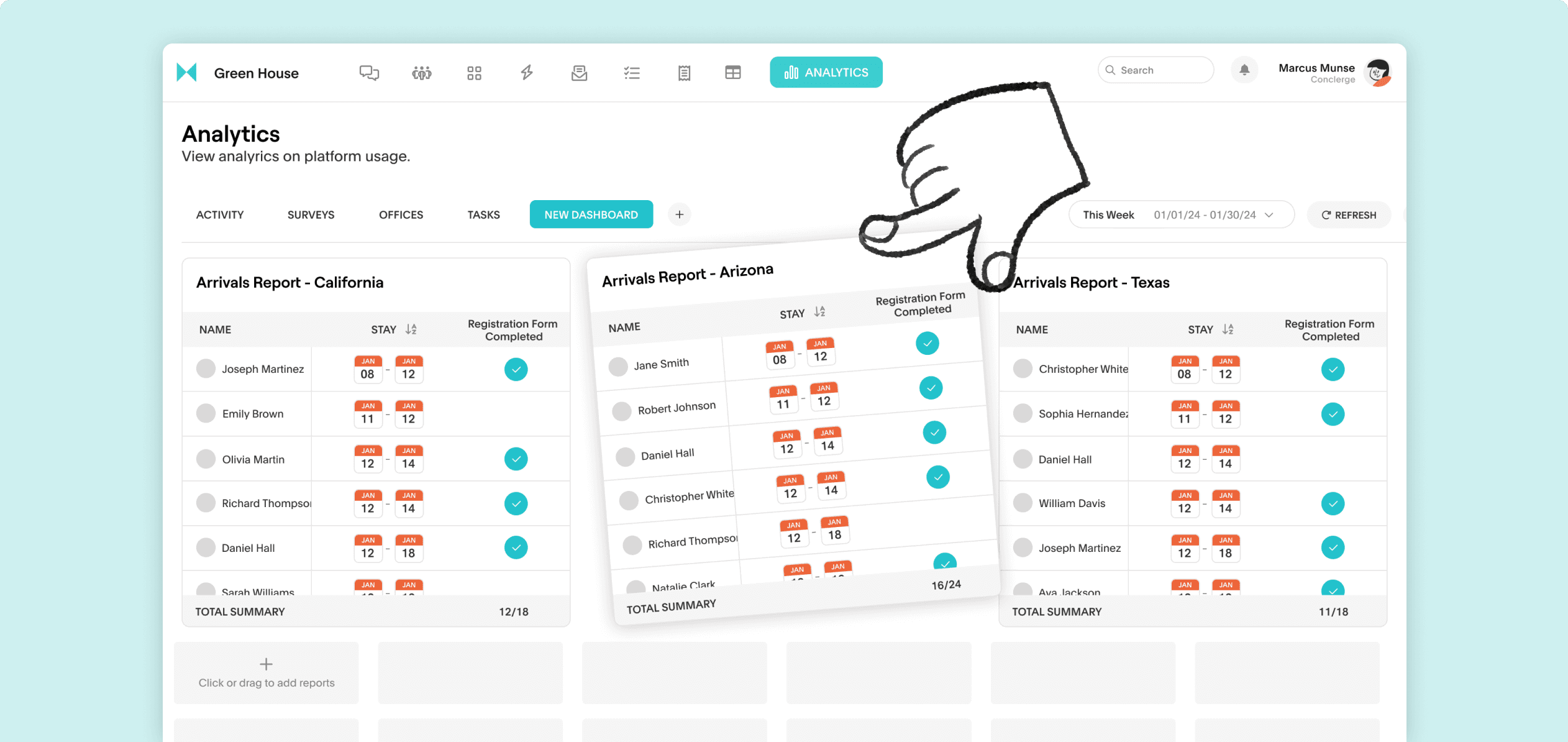
Having to sift through scattered data and reports can be tedious and time consuming. When important metrics are buried in cluttered dashboards, it’s easy to miss critical insights. Being able to customize your dashboard layout ensures that you have a clear single view for all relevant information about your guest.
Types of reports you can create:
Guest details for arrivals: Guests who have signed the registration form, opted for early check in to better prepare for their arrivals
Orders: Track incoming orders to manage inventory. By monitoring order trends, you can avoid overselling and identify top-selling items.
Tasks: Ensure that nothing is overlooked and that your team remains on top of their responsibilities.
Housekeeping Arrival ETA: Track expected arrivals to coordinate housekeeping efforts and maintain high standards of cleanliness and readiness.
Revenue and Ratings: Analyze revenue generated from upsells, menu orders, and guest ratings to identify areas for growth and reward staff performance based on guest feedback.
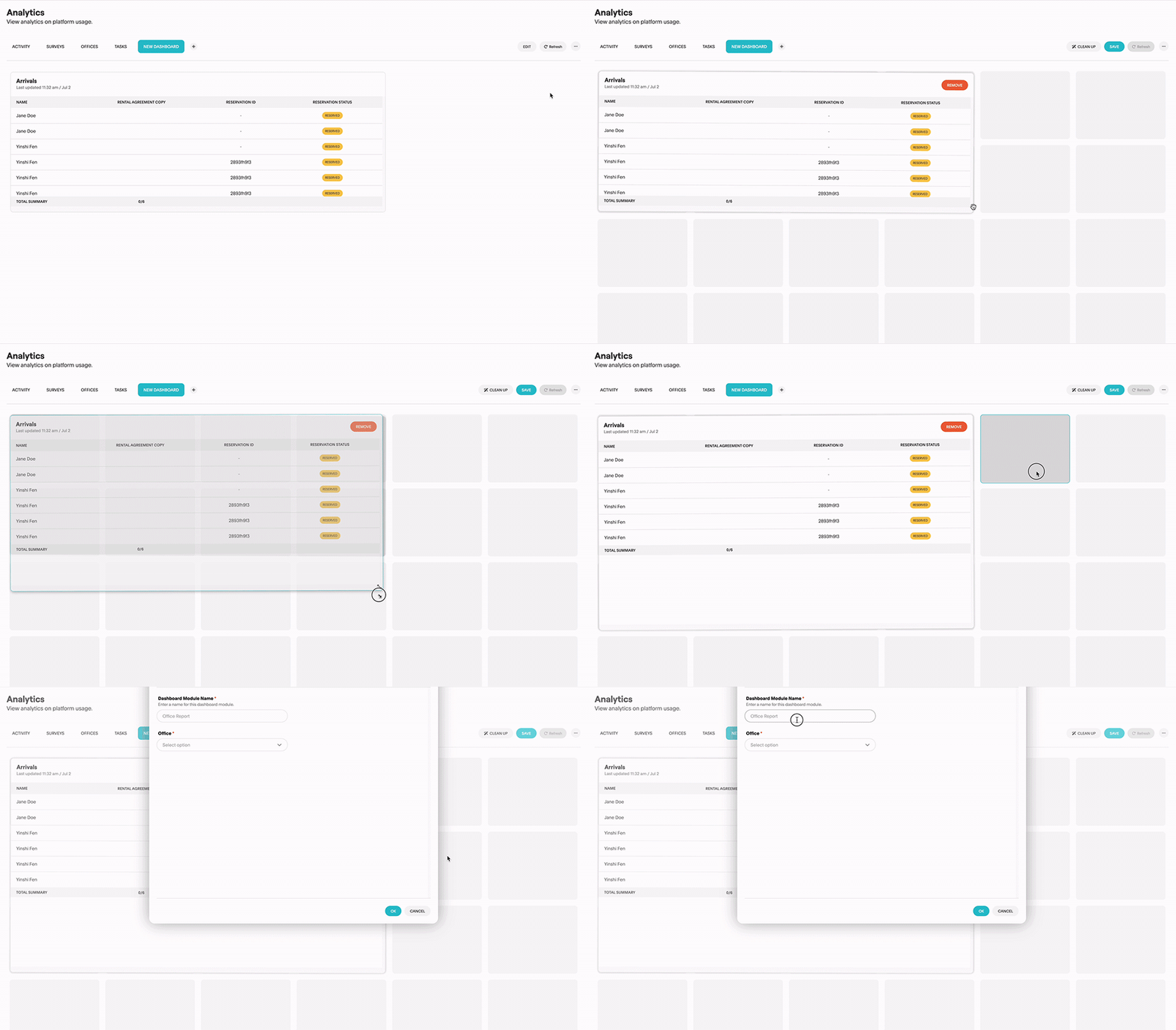
How to customize your dashboards:
- Navigate to Analytics tab in your account
- Click on the + sign to create a dashboard. You can create multiple.
- Click in a box and drag your mouse to the appropriate size to input a report.
A well-organized dashboard means less time spent searching for information and more time acting on insights.