Updates:
-
Mini App Wizard (new guided creation)
-
Mini Apps layout + Submissions tab (new + visual refresh)
-
Knowledge Base relocation + tab structure
-
Orders tab layout refresh
Mini App Wizard
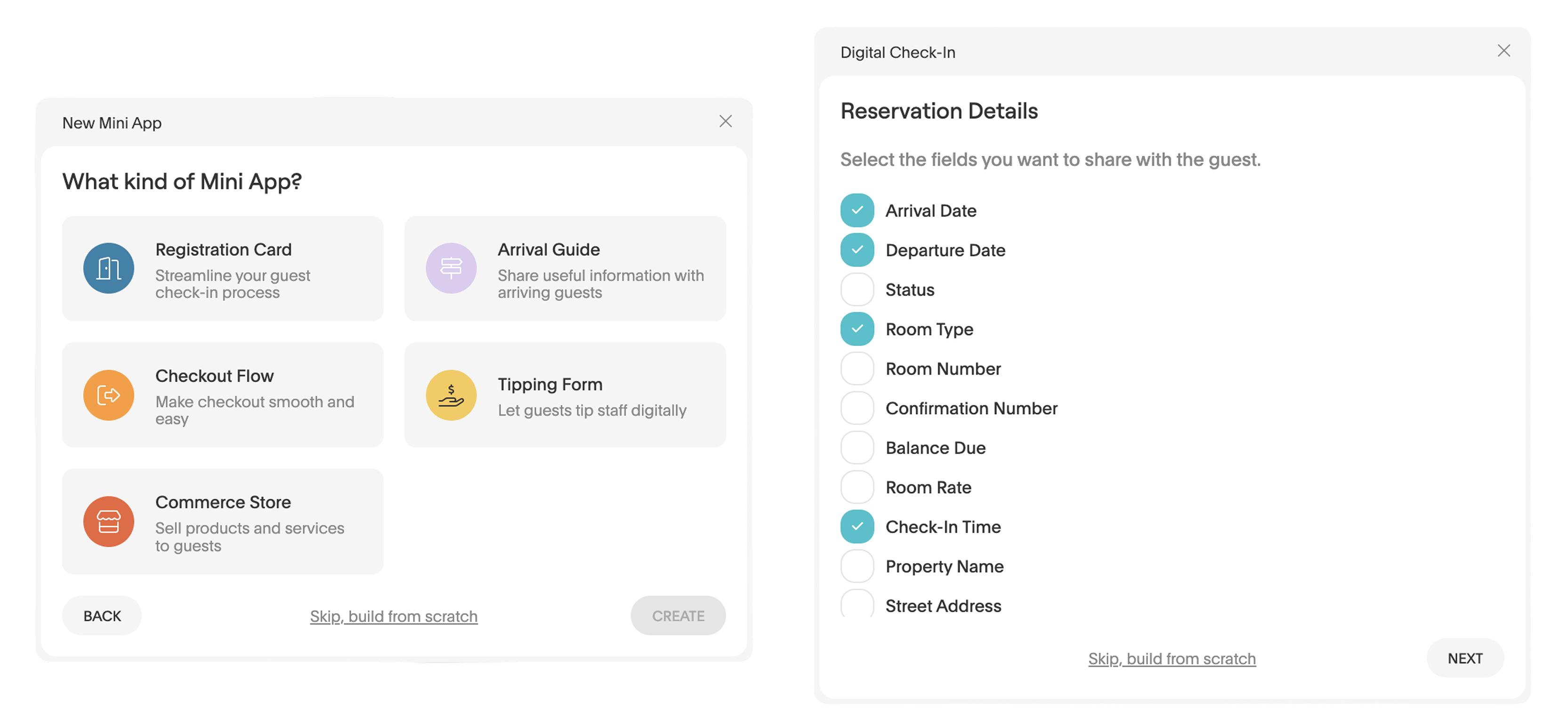
We introduced a new Mini App creation wizard to make it faster to set up Mini Apps without starting from scratch.
Previously, properties created Mini Apps manually by adding each component step by step. Now, you can begin by selecting a Mini App type such as:
-
Registration Card
-
Arrival Guide
-
Checkout Flow
-
Tipping Form
-
Commerce Store
After selecting a type, the wizard automatically suggests a starting structure based on that Mini App. Standard components are pre-selected depending on the template. For example, a Digital Check-In Mini App may already include fields like arrival date, departure date, room type, and check-in time.
Coming soon: Knowledge Base
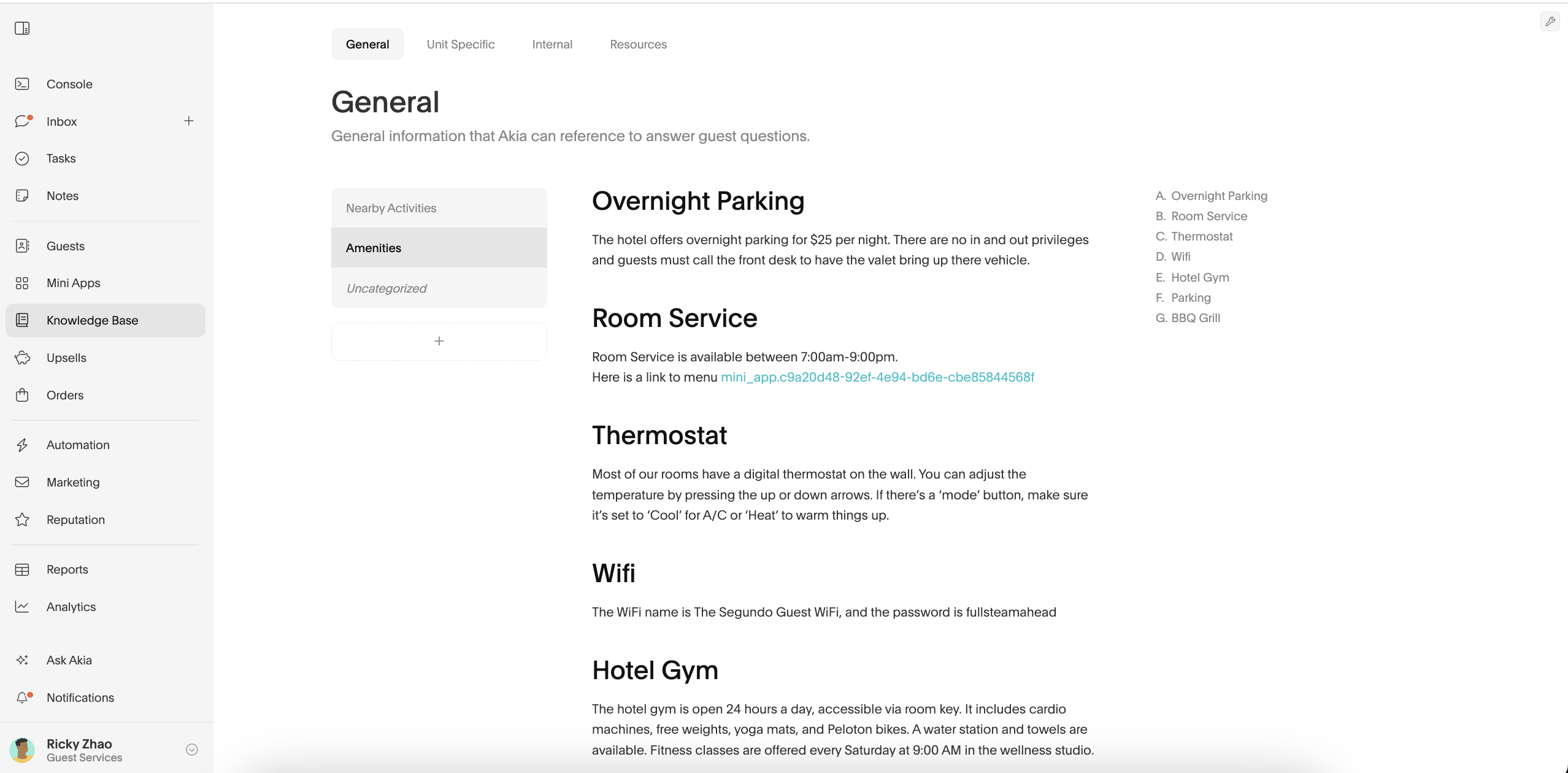
Previously, Knowledge Base content lived inside Automation → Agents. Now it has its own dedicated space in the left navigation under Knowledge Base. No content was removed — existing entries remain available in the new layout.
The Knowledge Base is separated into 4 sections:
- General - Property-wide information your Agent should reference when answering guest questions.
- Unit specific - Details that vary between rooms, units, or buildings.
- Internal - Staff-facing guidance that helps the Agent decide how to respond or escalate situations.
- Resources - Links and documents your Agent can reference when answering questions.
Mini App Editor
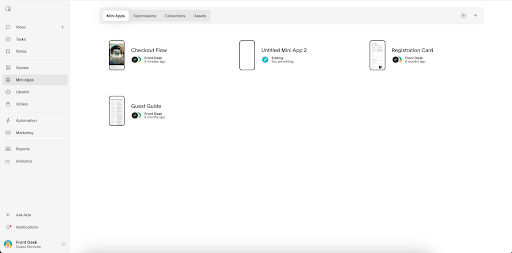
We updated the layout of the Mini Apps section with a refreshed design and added a new Submissions tab.
The Mini Apps area now includes:
-
Mini Apps
-
Submissions (new)
-
Collections
-
Assets
The updated layout introduces a cleaner top navigation across these sections.
The new Submissions tab allows you to review responses from Mini Apps in one centralized view. You can filter submissions by Mini App and specific date when reviewing responses.
Orders Tab
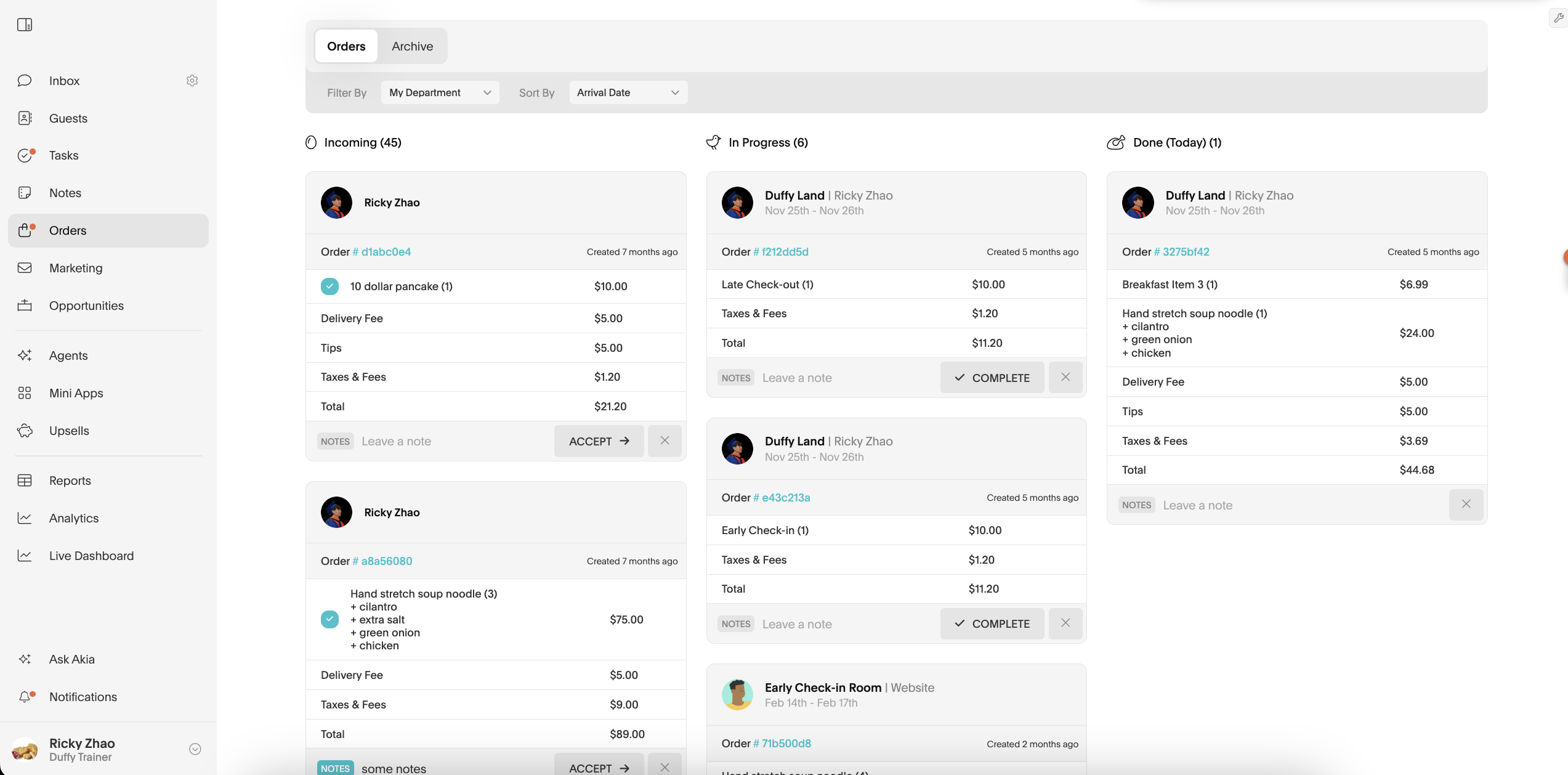
We updated the layout of the Orders tab.
You can now toggle between Orders and Archive at the top of the page. Filters such as department selection and sorting options are grouped together in the top left.
Order sections like Incoming, In Progress, and Done remain the same. No functionality changed. This is a visual layout update.
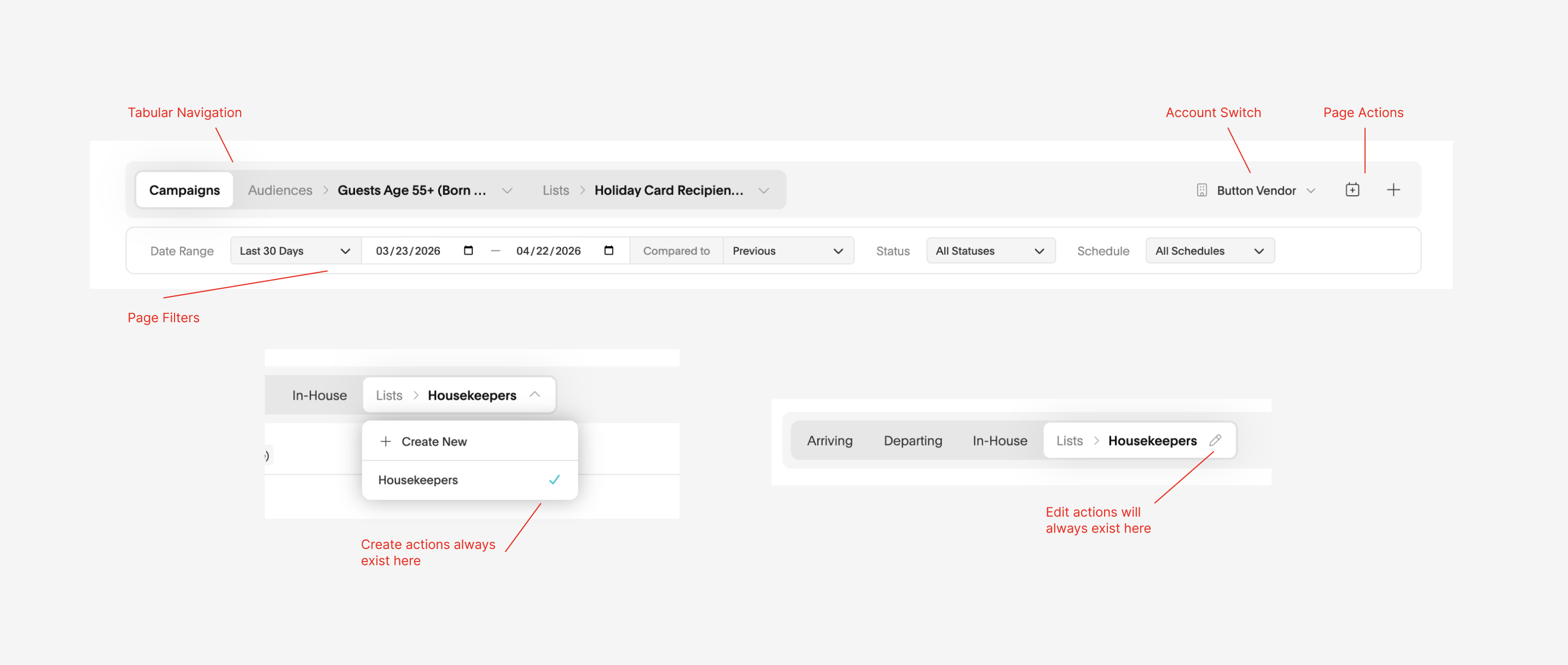
New Anatomy of Navigation Bar
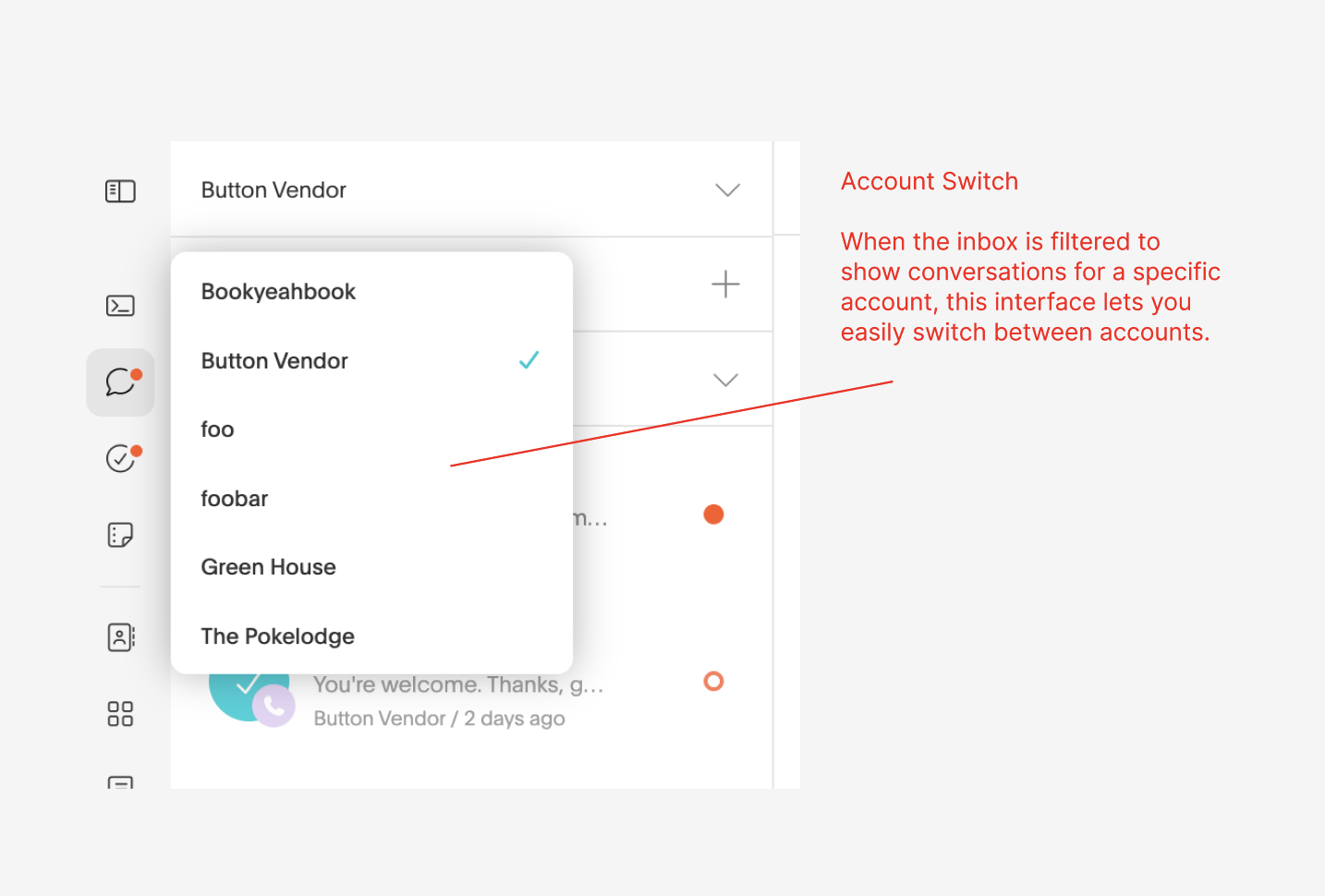
You’ll now see clearer tab-style navigation, a dedicated account switcher when viewing account-specific data, and predictable locations for create and edit actions so moving between views feels more intuitive.
That's a wrap on April's updates. Stay tuned for what's next!