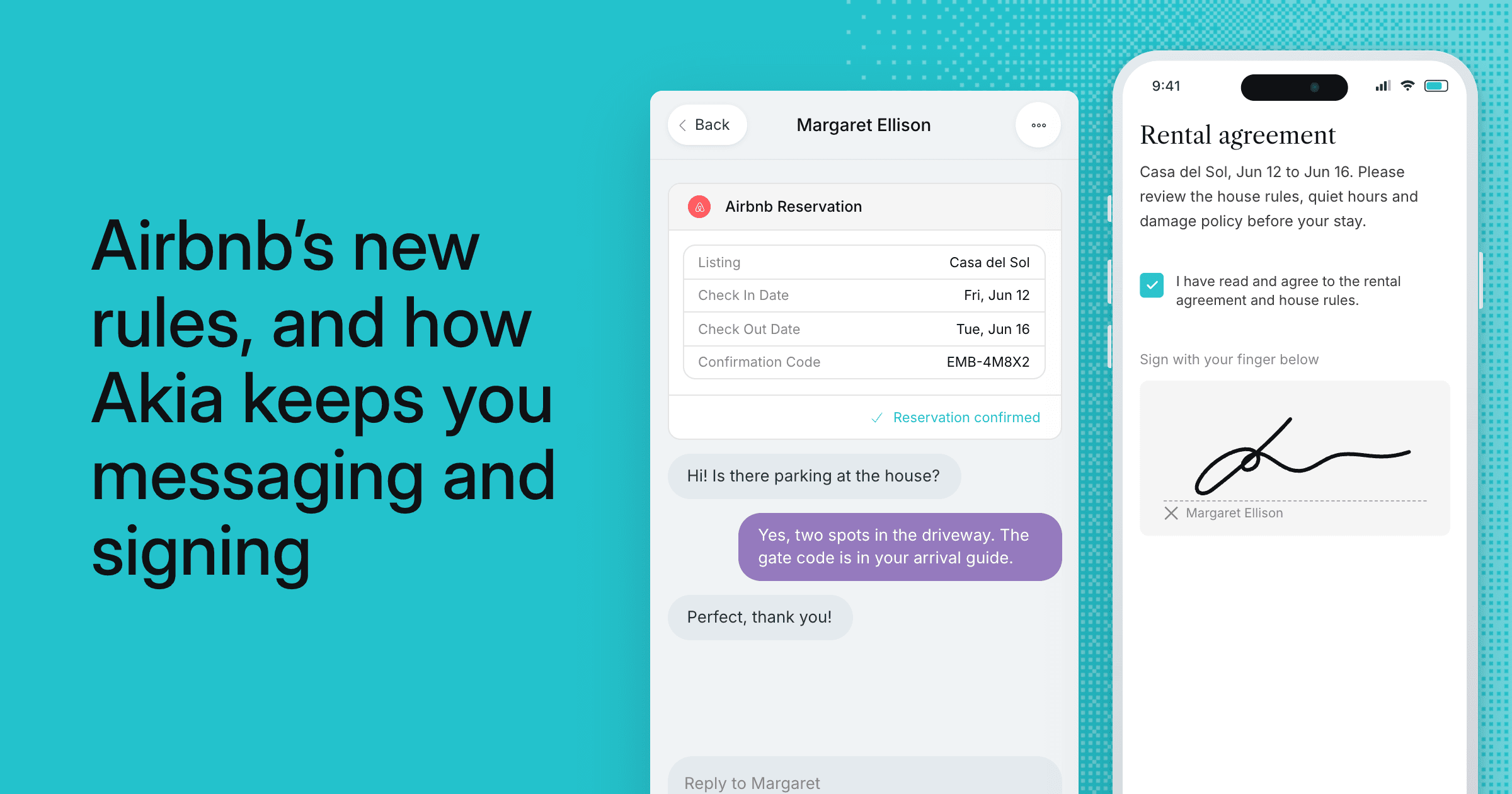
Airbnb changed two rules that affect how hosts reach guests:
- No separate contracts or personal info. Under its policy on limiting host-imposed contracts and requirements, hosts generally can't make Airbnb guests sign a rental agreement, share an email, phone number or ID, or download an app to access the listing.
- Temporary phone numbers. Airbnb now gives guests a temporary phone number that hides their real one and stops working two days after checkout.
Both changes point the same way: talk to Airbnb guests inside Airbnb. Here's what each one means for you and how to set Akia up for both.
Can Airbnb hosts still require a rental agreement?
Usually not. Airbnb doesn't let hosts make guests sign a separate contract or hand over an email, phone number or ID. Airbnb still allows a rental agreement when:
- It's required by law or community rules, like an HOA or building security
- It's needed for an optional amenity, like a golf cart rental
- The stay is 28 nights or more
- The listing is Airbnb Luxe
If one applies, keep the agreement and mention it in your listing.
What to do in Akia: give Airbnb guests their own flow. Edit the message they receive, or use display rules in the Mini App to hide fields that ask for an email, phone number, ID or signature. Guests who book direct or through other channels still get your full check-in flow.
Sharing information is still fine. An Arrival Guide doesn't ask guests to sign in, so keep sending door codes, parking details and house rules there or in the Airbnb chat.
Why do my texts to Airbnb guests ask for a confirmation code?
That's the temporary phone number. Airbnb is rolling them out in the US and Canada, and once a booking is confirmed, the host and guest each get a temporary number for calls and texts that expires two days after checkout. Airbnb no longer passes the guest's real number to your PMS, and it blocks real numbers shared in the Airbnb chat.
So when you text an Airbnb guest over SMS, the text never reaches them. You get this back instead:
Airbnb: Sorry, we're not sure who you're trying to reach. Please enter the confirmation code for this reservation (ex: HMXXXX1234) and we'll connect you to your guest.
The fix for both: message Airbnb guests in Airbnb
Connect Akia's direct integration with Airbnb and your automated messages and AI replies go out in the Airbnb conversation instead of by text. You don't need the guest's phone number or email, you stay inside Airbnb's rules, and guests read everything in the app they booked with.
To connect it:
- Log out of Airbnb in your browser first, so you connect the right account.
- In Akia, go to Integrations, open Airbnb and click Install. You'll need to be an Akia admin.
- Sign in to the Airbnb account for that property and authorize Akia.
- Repeat for each property.
Running several Airbnb accounts on one property, or one account across several properties? Our support team will set it up with you.
A quick check for your account
- Open the messages and Mini App pages Airbnb guests see, and hide anything that asks for personal info or links to a rental agreement.
- Make sure no Airbnb guests are still getting your messages by text.