AI agent testing is how hotels and vacation rentals make sure their AI agent answers accurately before it talks to guests. With Akia, the AI does most of the work: Akia shows where it needed help, your team gives the answer in plain English, and Akia updates its knowledge and tests again.
In what your AI agent needs to answer correctly, we covered what an AI agent needs to answer the way your team would. Here's how Akia confirms it has everything it needs, in four steps.
Step 1: Ask Akia where it needed help
Start with real conversations instead of made-up test questions. Ask Akia:
"Which chats couldn't the AI resolve last month?"
Ask Akia lists the real conversations where your staff had to step in, with a link to each one. Those are your first tests.

Ask Akia lists the conversations where staff stepped in, so you know exactly what to test first.
Step 2: Test it in the Agent Playground
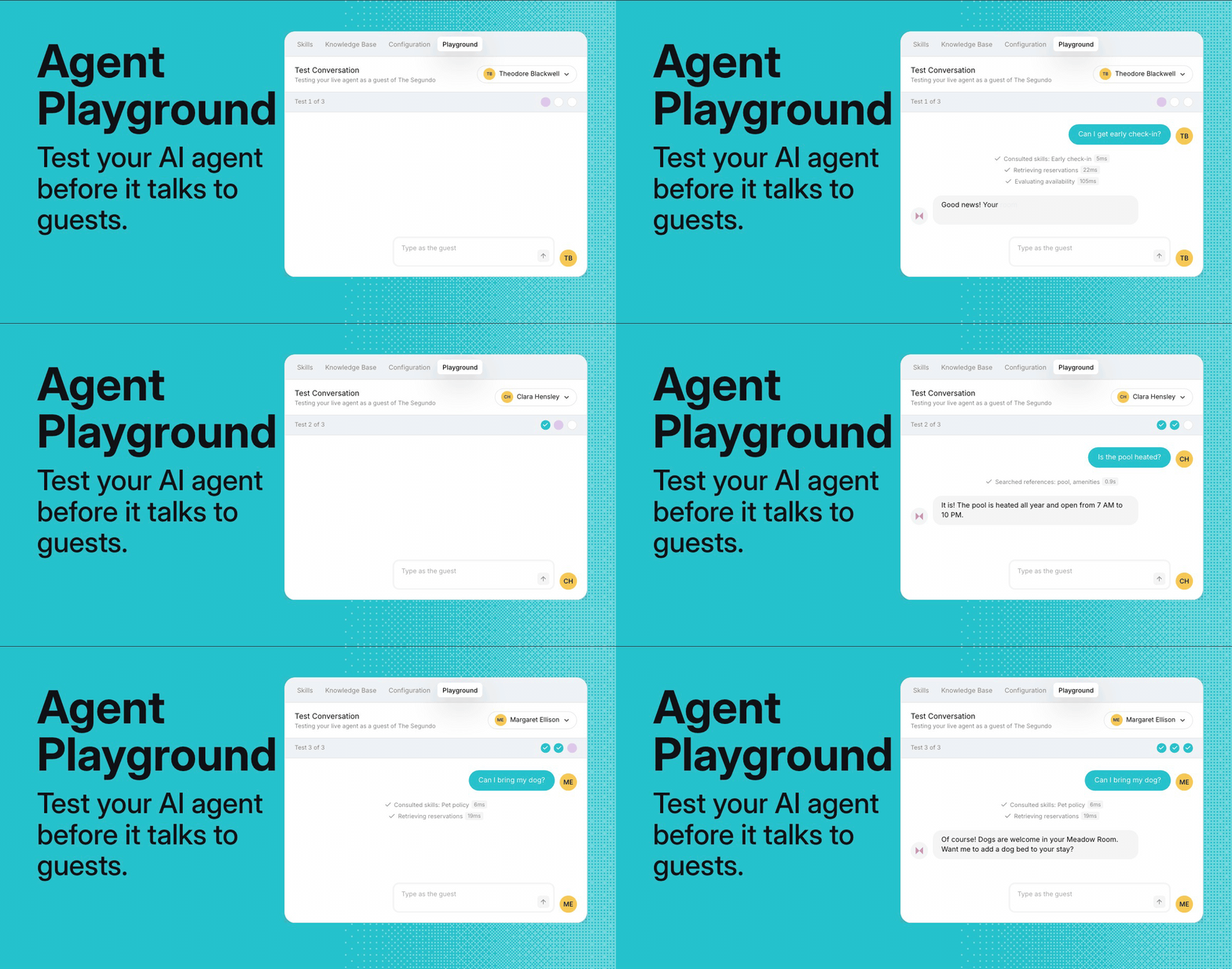
The Agent Playground lets your team text Akia as one of your real guests. Akia answers with that guest's real reservation and your live setup, and nothing is sent to the guest.
- Pick a guest. Arriving, staying now, or no booking.
- Text Akia like they would. Use the questions from Step 1.
- See the reply and where it came from. Each step Akia took shows above the answer.
Any action Akia would take for the guest, like sending a payment link or creating a task, shows as a preview. Nothing is sent, charged, or created.
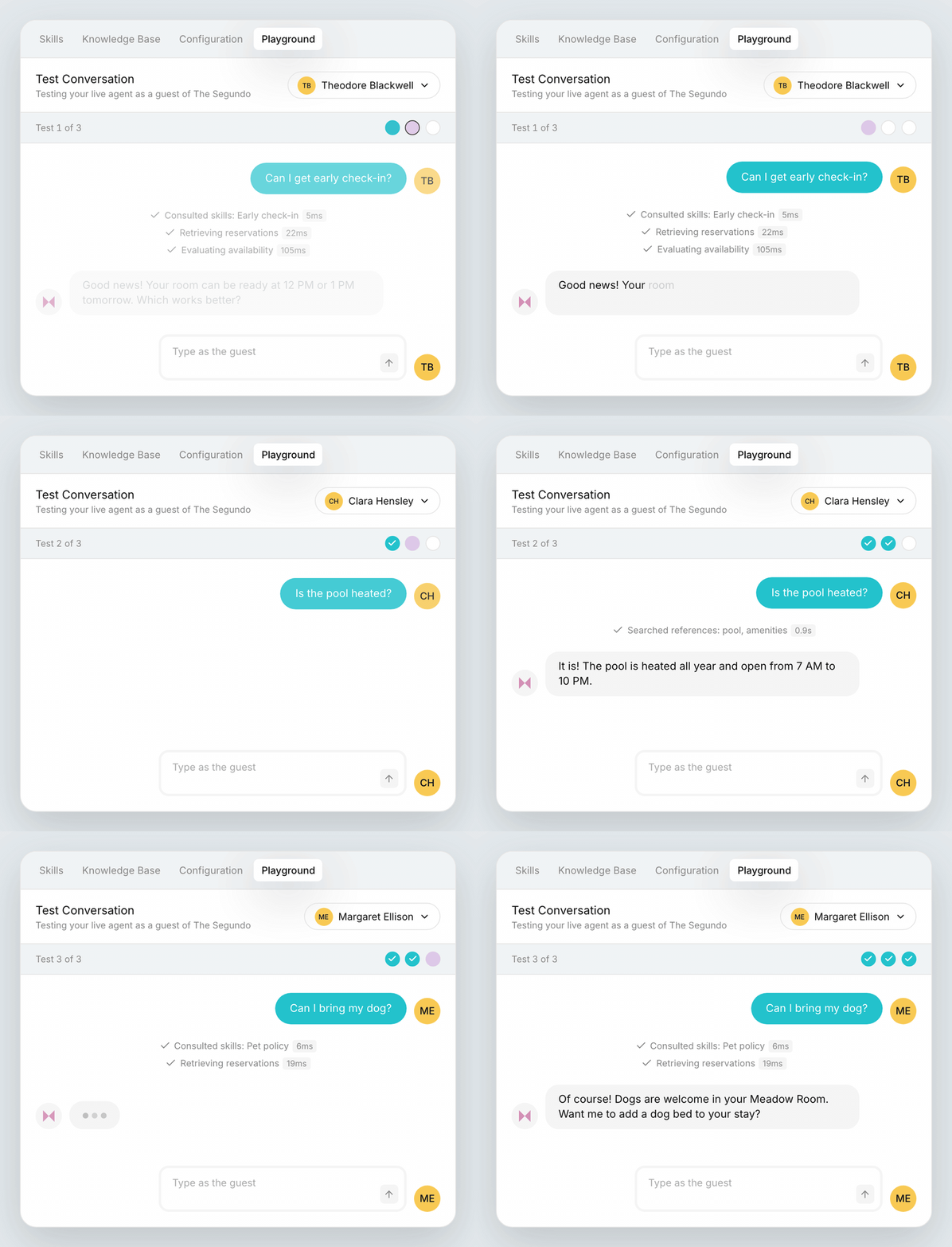
Every test starts with a real guest, so Akia answers with their real reservation.
Step 3: Tell Akia the answer
When a reply isn't what you want, you don't go digging through settings. You tell Akia.
Example: A test guest asks, "What time is checkout?" Akia says noon. The Playground shows the answer came from an old FAQ.
Hover over the reply and click Train on this reply.
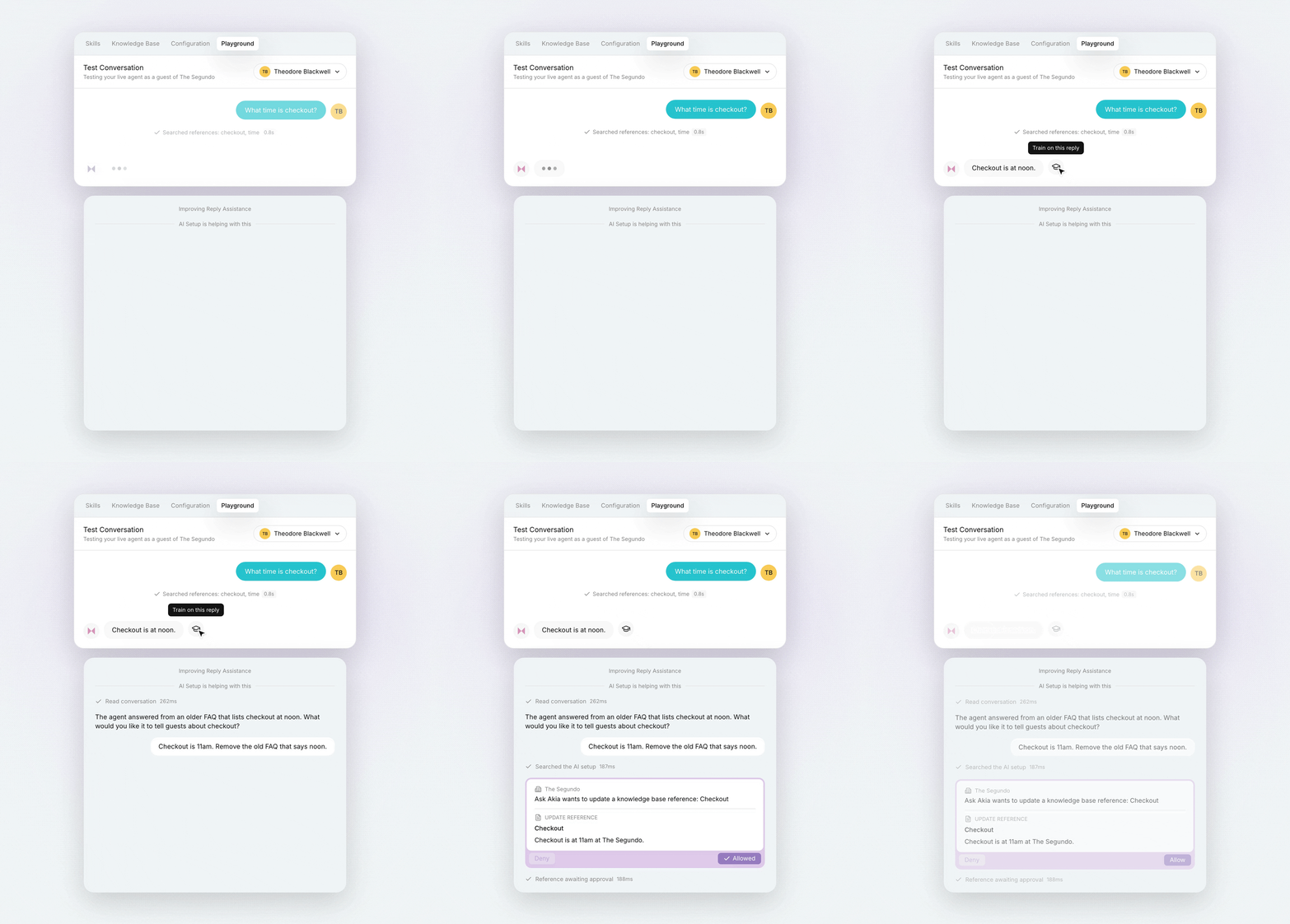
Hover over any reply in a test, and the Train on this reply button appears beside it.
Ask Akia opens on the left, already looking at that test. Type:
"Checkout is 11am. Remove the old FAQ that says noon."
Akia drafts the update as a card, you click Allow, and Akia runs the same test again. This time the answer is 11am.
Ask Akia explains where the answer came from and drafts the update. Click Allow, and Akia retests.
Just ask Akia: common updates
Most updates are one sentence to Ask Akia.
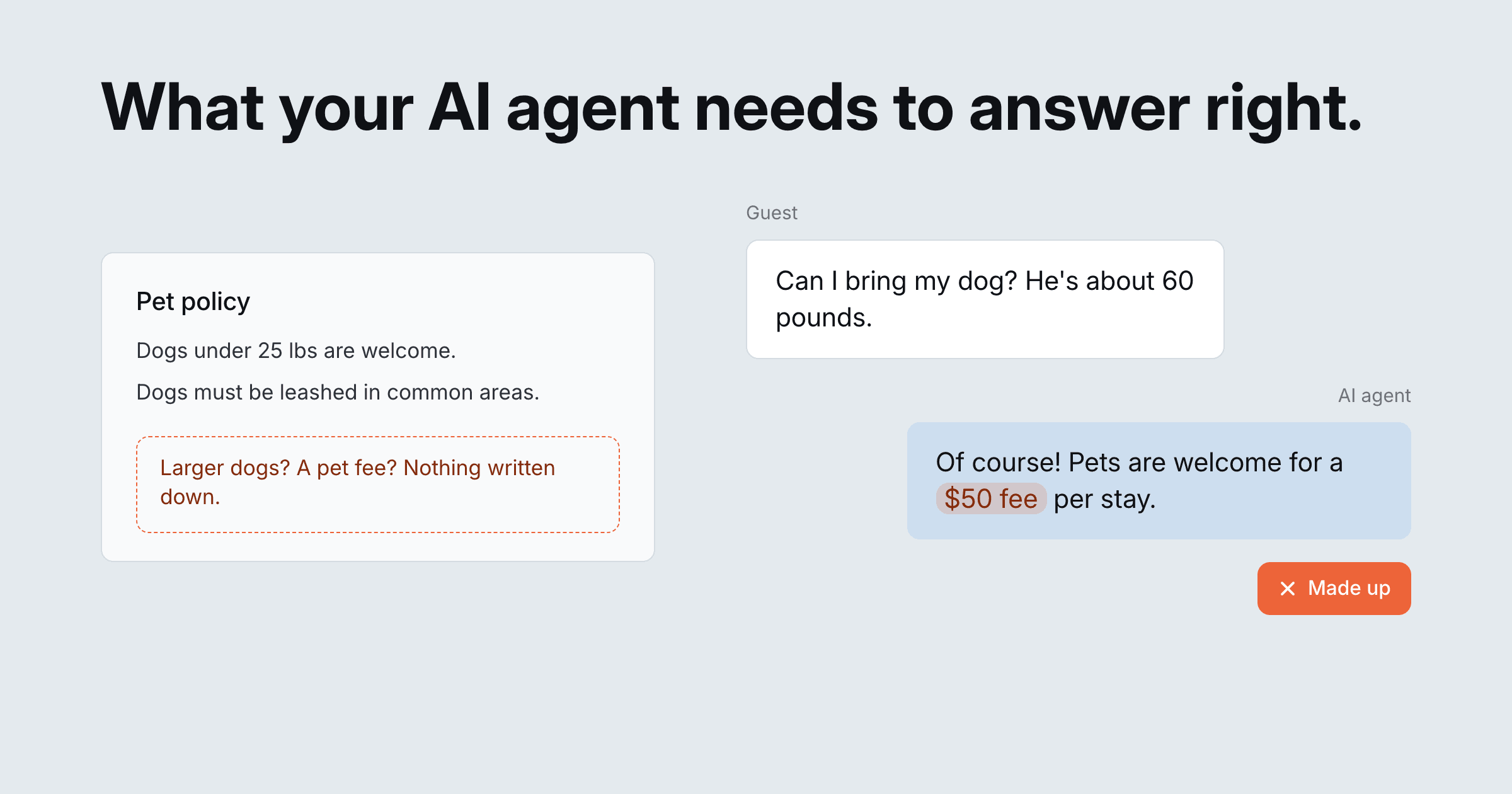
- A missing fact. Akia checks with the team about large dogs. Just ask Akia: "Add that dogs up to 80 lbs are welcome in pet-friendly rooms."
- One source of truth. Checkout shows as noon in one place and 11am in another. Just ask Akia: "Remove the old entry that says checkout is noon."
- A rule for edge cases. A guest asks about parking an RV. Just ask Akia: "Add a skill: oversized vehicles always go to the front desk."
- Guest context. Every guest gets the same early check-in answer. This one is a setting: connect your PMS so Akia sees each reservation.
Step 4: Decide what Akia handles on its own
Every topic gets one of three settings, and the Playground shows exactly what each one does.
- Allow: Akia replies on its own. In the Playground, the reply shows with no note.
- Ask: Akia drafts and staff approve. In the Playground, the reply shows a note that staff would approve it.
- Deny: Your team handles it. In the Playground, a note shows that no reply would be sent.
Most topics start on Ask. When Akia answers a topic the way your team would, move it to Allow. Money, safety, and upset guests usually stay with a person.
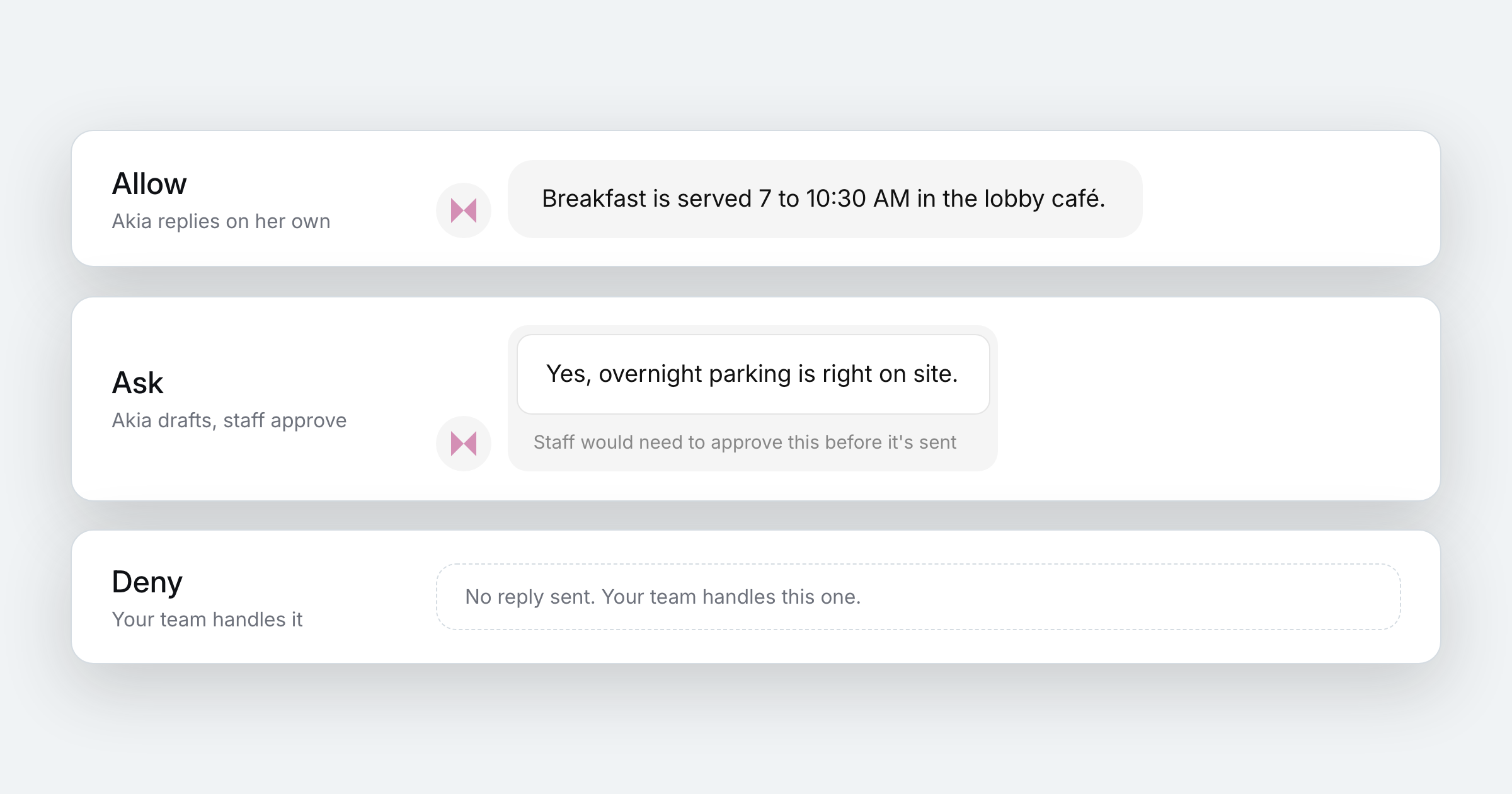
The same test looks different under each setting.
What a test looks like
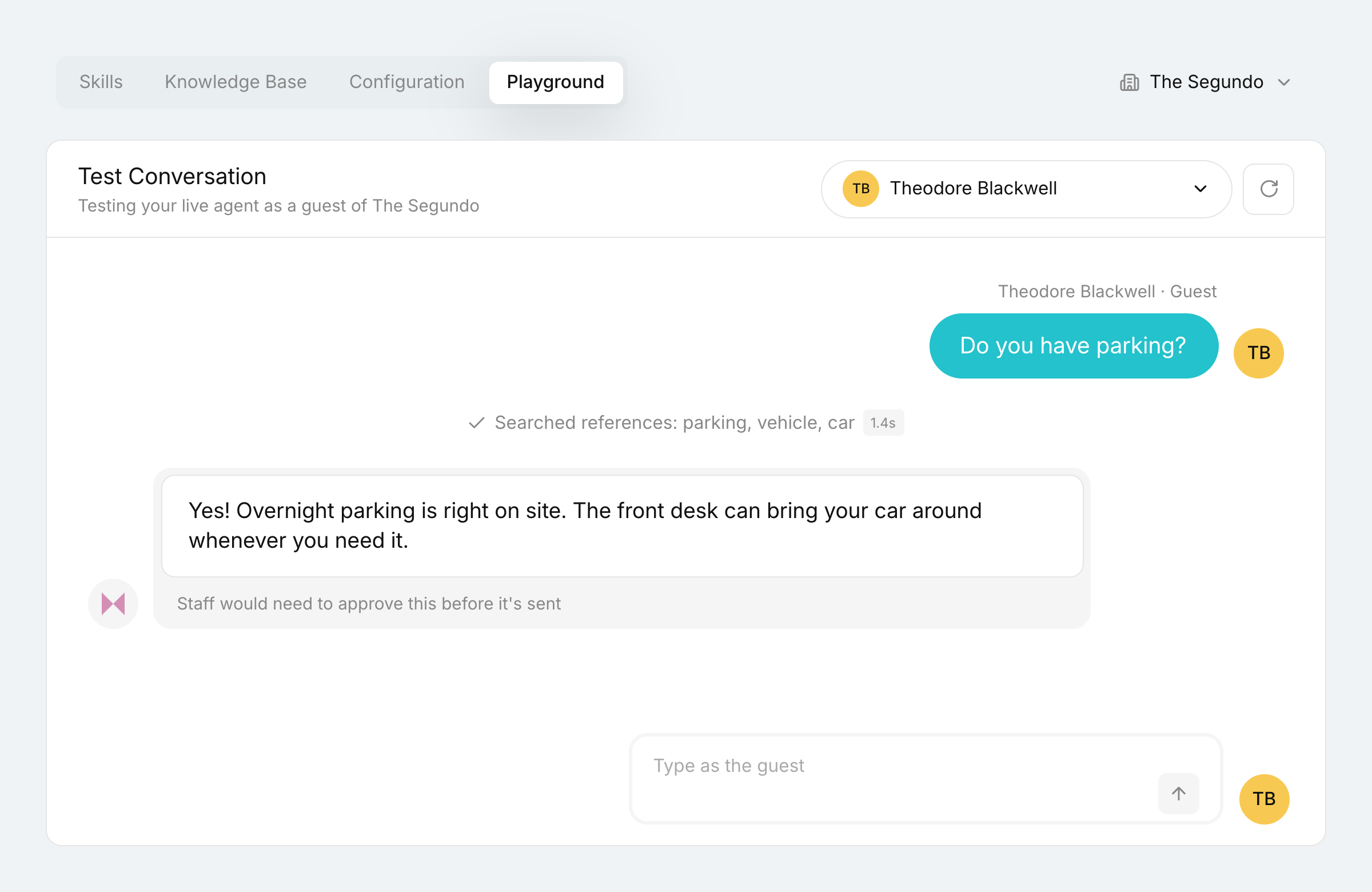
Parking, on Ask
A guest asks, "Do you have parking?" Akia finds the details in your property info and drafts a reply. The note underneath shows staff would approve it before it's sent.
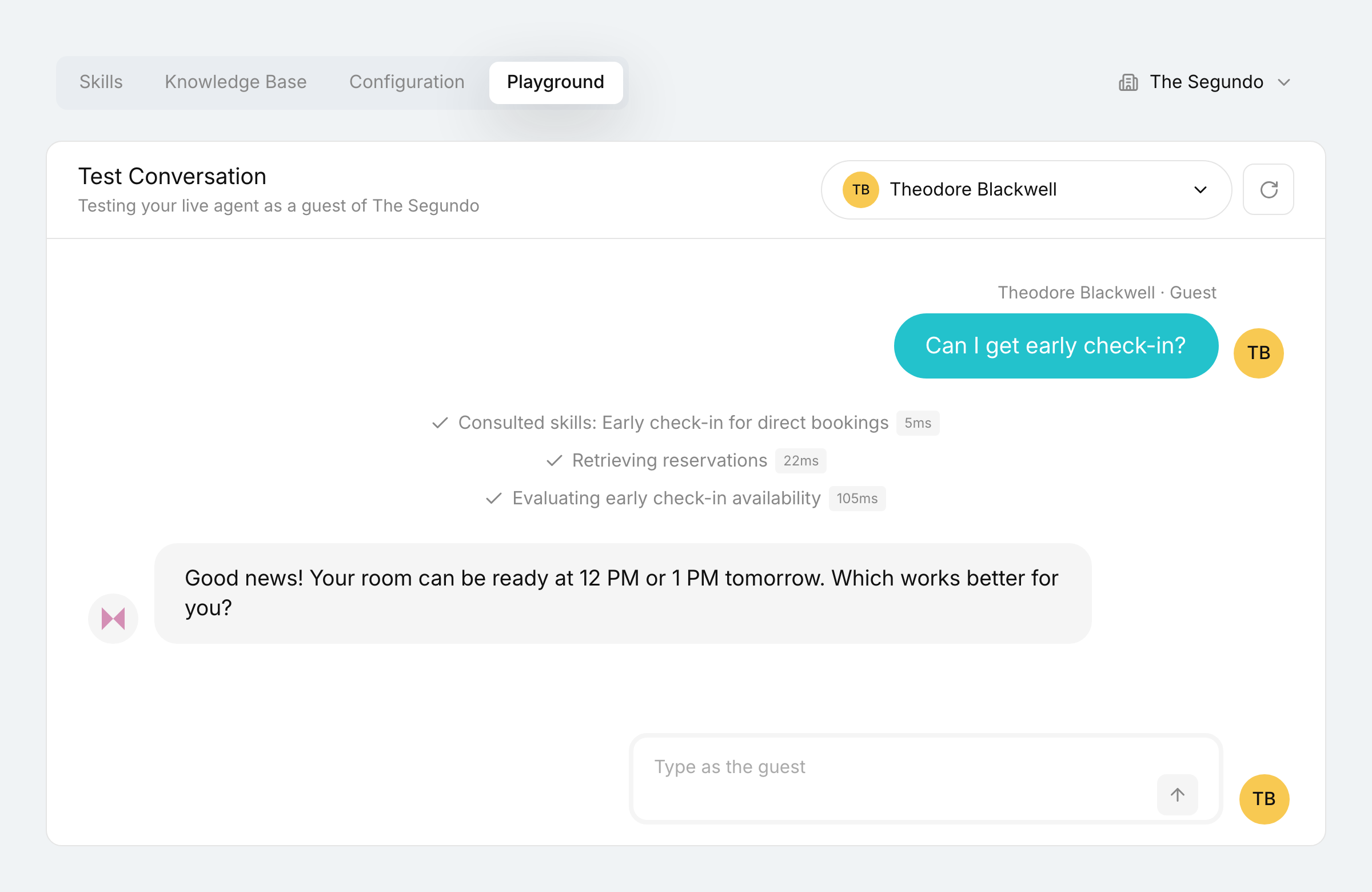
Early check-in, on Allow
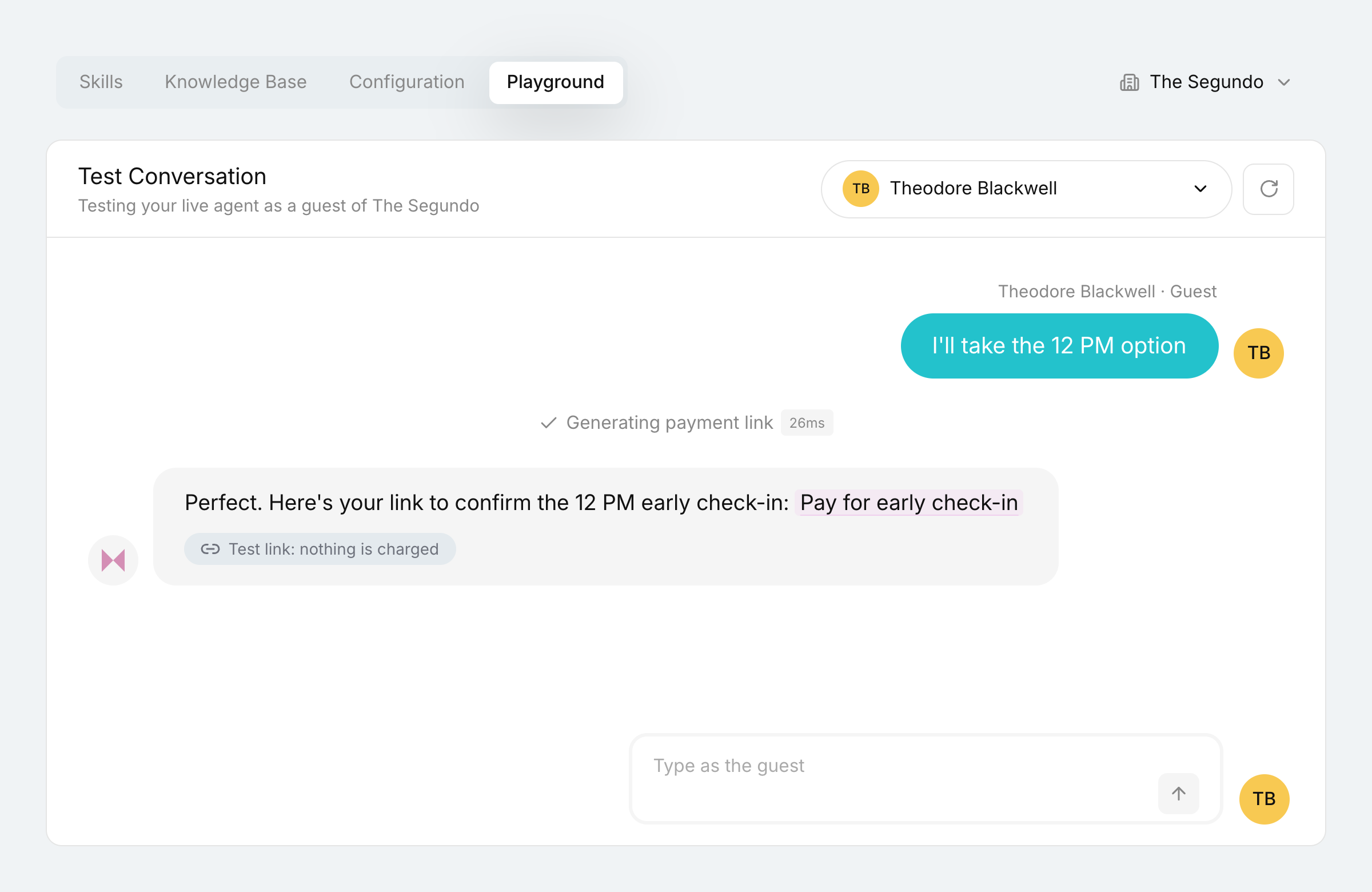
A guest arriving tomorrow asks for early check-in. Akia follows your early check-in Skill, checks the reservation and availability, and offers two times. No note, so a real guest would get it right away.
An upsell, safely
The guest picks a time and Akia sends a payment link. In a test, the link is a placeholder, so no one is charged and your reports stay clean.
After go-live, Akia keeps learning
Testing doesn't stop at launch, and you don't have to remember to do it.
- Ask what's new. "What were our most common guest questions this week?" shows what to test next.
- Akia learns from your team. When staff answer something Akia handed off, or edit one of Akia's drafts, Akia suggests a new reference for your team to review.
- Retest when things change. New seasonal hours or a revised policy? Tell Akia, then run the test again.
That's how properties get to the point where most messages run on their own. The Chandler Hotel has 90% of its messages resolved automatically by AI Agents. As owner Matt Chandler put it: "Not getting interrupted and knowing guests are being taken care of is absolutely great."
Frequently asked questions
How do I know what to test my AI agent on?
Ask the AI. In Akia, ask “Which chats couldn’t the AI resolve last month?” and Ask Akia lists the real conversations where staff stepped in. Those make the best first tests because they come from your actual guests.
How do I update what my AI agent says?
In Akia, click Train on this reply in the Agent Playground, or open Ask Akia, and type the change, like “Checkout is 11am.” Akia drafts the update for you to approve, then retests it.
How do I make an answer apply to only some guests?
Tell Ask Akia who it’s for. “Only give this early check-in offer to direct bookings” adds a condition to that answer, and the approval card shows it as “Only for guests matching” before you click Allow. Then test it as one guest who matches and one who doesn’t.
Can I test what Akia does after hours?
Yes. The Agent Playground follows your property’s office hours, so a test sent after hours shows that the guest would get your unavailable message instead of a reply.