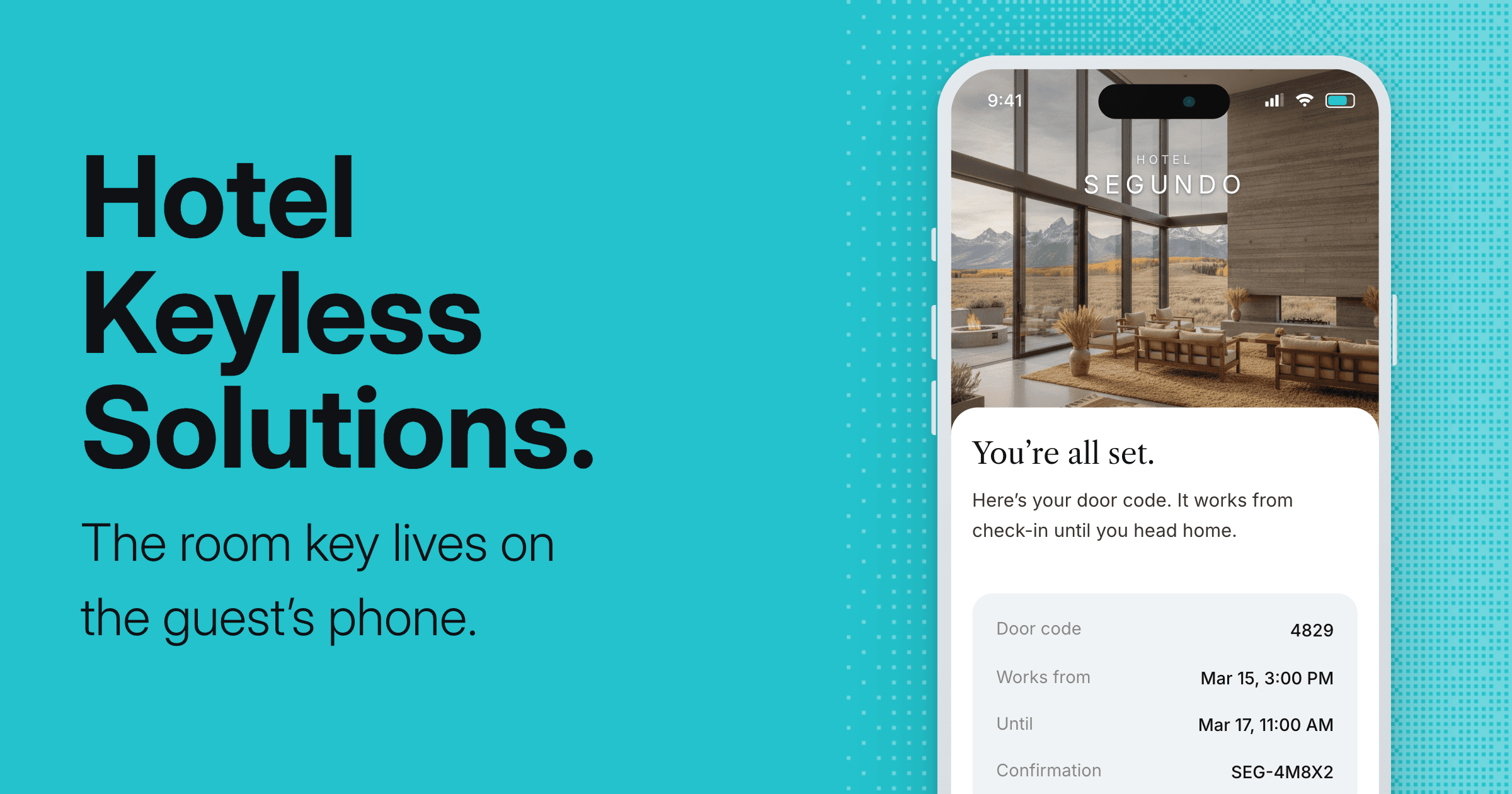
Hotel keyless entry lets guests unlock their room from their phone or a door code, with no plastic keycard and no stop at the front desk. It's a common upgrade for independent properties, and there are a few different ways to do it. Here's how keyless entry works and what to look for when you choose a system.
What hotel keyless entry is.
Keyless entry replaces the metal key or plastic keycard with a digital credential. That credential can live on the guest's phone as a mobile key, or it can be a numeric code the guest types on a door keypad. Either way, the guest gets into their room without a physical key and without waiting for someone at the desk to hand one over. The term covers a range of setups, so it helps to know the main types before you compare products.
The types of keyless entry.
Most hotel keyless entry falls into four groups.
- Mobile key (Bluetooth). The guest's phone talks to the lock over Bluetooth. She holds the phone near the door and it opens. It works right at the door, even if the wifi drops.
- Wallet key (NFC). The room key sits in Apple Wallet or Google Wallet, and the guest taps the phone to a reader. It's fast and familiar, though it needs newer locks.
- PIN codes. The guest gets a numeric code for their stay and enters it on a keypad. No phone needed, which suits guests who'd rather not use an app.
- RFID cards and fobs. The classic tap card. Still keyless in the sense that there's no metal key, but the guest still collects a card.
How keyless entry works behind the door.
Two things make keyless entry work: the lock and the connection. Smart locks either connect to the internet through a small hub, or they talk directly to the guest's phone over Bluetooth. Internet-connected locks let you issue and cancel keys remotely, which is how a code can be waiting before the guest arrives. Bluetooth locks work at the door itself, so a wifi blip doesn't leave anyone standing in the hallway. Many properties run a mix, and the right setup depends on your building and your network.
The trade-offs worth knowing.
Keyless entry solves the front-desk bottleneck, and it's worth going in clear-eyed.
- Phones die. A guest with a dead battery needs another way in, so a backup code or a card at the desk matters.
- Not everyone wants an app. Some guests prefer a keypad code or a card, so the best systems offer more than one method.
- Connectivity counts. Locks that depend on wifi need a reliable network, or keys can lag.
- Older locks may need retrofitting. You don't always have to replace every lock, but you'll want to check what yours support.
How to choose a keyless entry system.
When you compare systems, a few things separate the ones that hold up:
- Works with your existing locks. Retrofitting beats replacing every door.
- Connects to your PMS. So keys issue automatically from the reservation, with no manual step.
- Works offline at the door. A network hiccup shouldn't lock a guest out.
- Keys expire at checkout. The credential should switch off on its own when the stay ends.
- Has a backup method. A code or a card for the guest whose phone isn't cooperating.
- Keeps an access log. So you can see who entered and when.
How Akia does keyless entry.
Akia handles keyless entry as part of the arrival. A guest completes Digital Check-in on their phone, and once their room is ready, Akia sends the code by message. It opens in a Mini App, so there's nothing to download. Akia issues keys through platforms like RemoteLock and Salto, plus Device Hub, its own lock connection, and works with locks from August, Schlage, and Dormakaba among others. Each key is tied to the reservation, so it works only for the guest's dates and switches off at checkout. She checks the guest in, then hands them the key, before they reach the door. See how Keyless Entry works.
Hotel keyless entry, answered.
What is hotel keyless entry?
Hotel keyless entry is a system that lets guests unlock their room without a metal key or plastic keycard. The guest uses a mobile key on their phone or a numeric door code instead. It removes the trip to the front desk to collect or replace a key.
What are the types of keyless entry for hotels?
There are four common types: mobile keys that work over Bluetooth, wallet keys stored in Apple or Google Wallet using NFC, PIN codes entered on a keypad, and RFID cards or fobs. Many properties combine a mobile key with a backup code.
Do guests need to download an app to use a mobile key?
It depends on the system. Some require a branded app, while others deliver the key through a web page or the phone's wallet. With Akia, the key opens in a Mini App inside the guest's phone, so there's nothing to download and no account to create.
What happens if a guest's phone dies or they don't have a smartphone?
This is why a backup method matters. Good keyless entry systems also offer a keypad code or a card the front desk can issue, so a guest is never locked out over a dead battery or an older phone.
Is hotel keyless entry secure?
Yes. Digital keys are tied to a single reservation and expire when the stay ends, so there are no lost cards to deactivate. Systems that keep an access log also let you see who entered and when. With Akia, each key works only for the guest's booked dates and switches off at checkout.
What locks work with hotel keyless entry?
Keyless entry works with smart locks from brands including August, Schlage, Dormakaba, Kwikset, Nuki, and igloohome. Akia connects to them through lock platforms like RemoteLock, Salto, and FLEXIPASS, plus Device Hub, its own connection, so you keep the hardware you already have.
Give your guests the key on their phone.
See how Akia checks guests in and sends the room key before they reach the door. See Keyless Entry.